For small ISP and managed Wi-Fi operations teams
See the affected service, the supporting signals, and the next operator decision.
Bring the asset inventory, customer or site relationships, and a read-only health export. SignalNook connects scattered alarms to service impact and returns an incident record without changing network or domain configuration.
Sign in and you go straight back to the SignalNook conversation. Work happens in chat. This page never asks for your card details or email address.
FIRST WORKING RESULT
A read-only asset and health check
Observed signals stay named. Missing data stays missing. The network is not changed from this page.CONTROLLED TICKET / demo-1
A reachable router is not a healthy path.
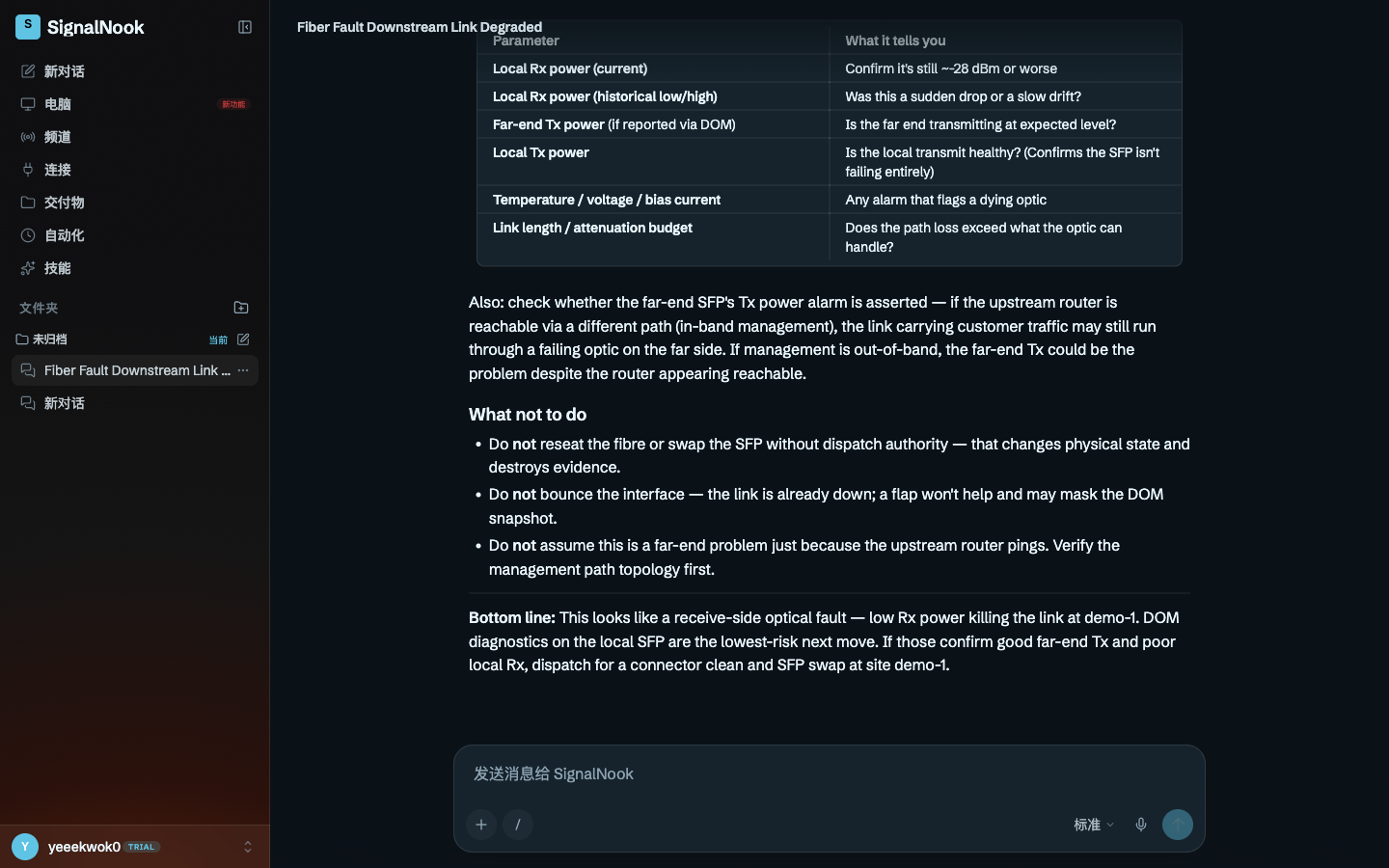
Controlled degraded-link telemetry for site demo-1: the downstream link was down, local receive power was about -28 dBm, and the upstream router was still reachable without proof that management used the same traffic path.
Returned: likely receive-side optical fault, plus a read-only DOM checklist. The run did not bounce the interface, reseat fibre, swap an SFP, or treat a ping as far-end proof.
- 01Local Rx power (current)Confirm it is still about -28 dBm or worse
- 02Far-end Tx powerIs the far end transmitting at the expected level?
- 03Local Tx powerIs the local transmit healthy, so the SFP is not failing entirely?
- 04Temperature / voltage / bias currentAny alarm that flags a dying optic
- 05Link length / attenuation budgetDoes the path loss exceed what the optic can handle?
PUBLISHED OUTPUT
The checklist stays attached to the site.
A SignalNook incident triage that isolated a likely receive-side optical fault from degraded-link telemetry. You get the likely fault, the next diagnostic evidence to collect, and no state-changing actions taken on your network.
HOW THE REVIEW IS ROUTED
Each incident class keeps its own next path.
Small broadband, WISP, and managed Wi-Fi operators that have asset and health data but lack a single service-impact view across devices, domains, sites, and incidents.
Device alarms arrive without the customer, site, dependency, or maintenance context needed to judge impact. During an outage, operators spend time rebuilding topology and chronology while evidence changes underneath them.
- DEPDependency failureDependency trace
- MNTAdministrative maintenanceMaintenance observation
- LIVPeer-liveness timeoutApproval-gated plan
- 01
You provide the asset inventory, service relationships, read-only observations, and the incident window.
- 02
SignalNook maps each signal to the affected device, site, customer, service, and known dependency.
- 03
It separates dependency failures, maintenance observations, and peer-liveness timeouts so each follows the appropriate review path.
- 04
You receive the service-impact view and incident timeline; any network, billing, or domain change remains separately authorized.
WHAT YOU SUPPLY
The inventory stays named. Gaps stay gaps.
- 01
An inventory of network devices, access points, domains, and managed services
- 02
The customer, site, and upstream dependency relationships for those assets
- 03
A read-only export of health states, alarms, and observation times
- 04
The incident window, reported symptoms, and known maintenance activity
An asset and dependency map tied to customers, sites, and services
A read-only health summary that separates observed signals from missing data
An incident classification with the supporting dependency or maintenance evidence
A chronological incident record with unresolved questions and operator decisions
THE OPERATOR LINE
A diagnosis is not a physical change.
- Changing device, network, billing, or DNS configuration
- Diagnosing an unreachable or undocumented asset without observable evidence
- Replacing a full billing, CRM, inventory, or field-service system
- Removing the operator from outage classification, remediation, or customer-impact decisions
- Do not bounce the interface — the link is already down; a flap will not help and may mask the DOM snapshot.
- Do not reseat the fibre or swap the SFP without dispatch authority — that changes physical state and destroys evidence.
- Do not assume a far-end fault merely because the upstream router answers.
STARTER
Open a read-only health workspace.
$19.00 is stated here before you register; card payment runs through Stripe Checkout inside the signed-in workspace.
$19.00 per month
Continue to workspace billingBEFORE YOU OPEN A TICKET
Questions
What data does SignalNook need?
Provide the device, access-point, domain, site, customer, and service inventory plus a read-only export of health states and timestamps for the incident window.
Does it make network or DNS changes?
No. The review is read-only. Configuration, billing, and domain changes remain separate operator-authorized actions.
How does it connect an alarm to customer impact?
SignalNook uses the relationships you supply between assets, dependencies, sites, customers, and services. Missing relationships are reported as evidence gaps rather than guessed.
What comes back during an outage?
You receive a service-impact summary, the supporting health observations, an incident classification, a chronological record, and unresolved questions for the operator.
Can it diagnose a device that provides no data?
It can show the device as unreachable or undocumented when the evidence supports that state, but it cannot determine a root cause that the supplied observations do not reveal.